Do you need catalogue software at all?
Almost nobody searching for catalogue software wants software. They want a document — pictures of what they sell, with prices and codes — that they can send to a customer on WhatsApp or hand to a buyer.
That is a ten-minute job with a free tool, and buying a subscription for it is a category error. Start with the catalogue maker or WhatsApp catalogue maker, produce the thing, and see whether you hit a wall.
Most sellers never do. The ones who do hit a specific wall — hundreds of SKUs whose prices change, or a catalogue going to a commercial printer — and that specific wall points at a specific answer, which is what the rest of this page is for.
Leading with this costs us a longer page and it is still the right thing to say, because the alternative is a seller paying monthly for something a browser does free.
Which of the 4 routes fits your shop?
Every option worth considering falls into one of four buckets.
| Free online tools | Canva | InDesign | PIM software | |
|---|---|---|---|---|
| Cost | Free | Free tier, paid for brand kit | Subscription | Enterprise pricing |
| Learning curve | Minutes | An hour | Weeks | A project |
| Bulk import | Yes | Limited | Scriptable | The whole point |
| Print quality | Screen and WhatsApp | Good | Best | Not its job |
| Re-do when prices change | Regenerate | Edit each page | Data merge | Automatic |
| Who it suits | Almost every small seller | A designed look, small range | A printed lookbook | Thousands of SKUs |
Free online catalogue tools
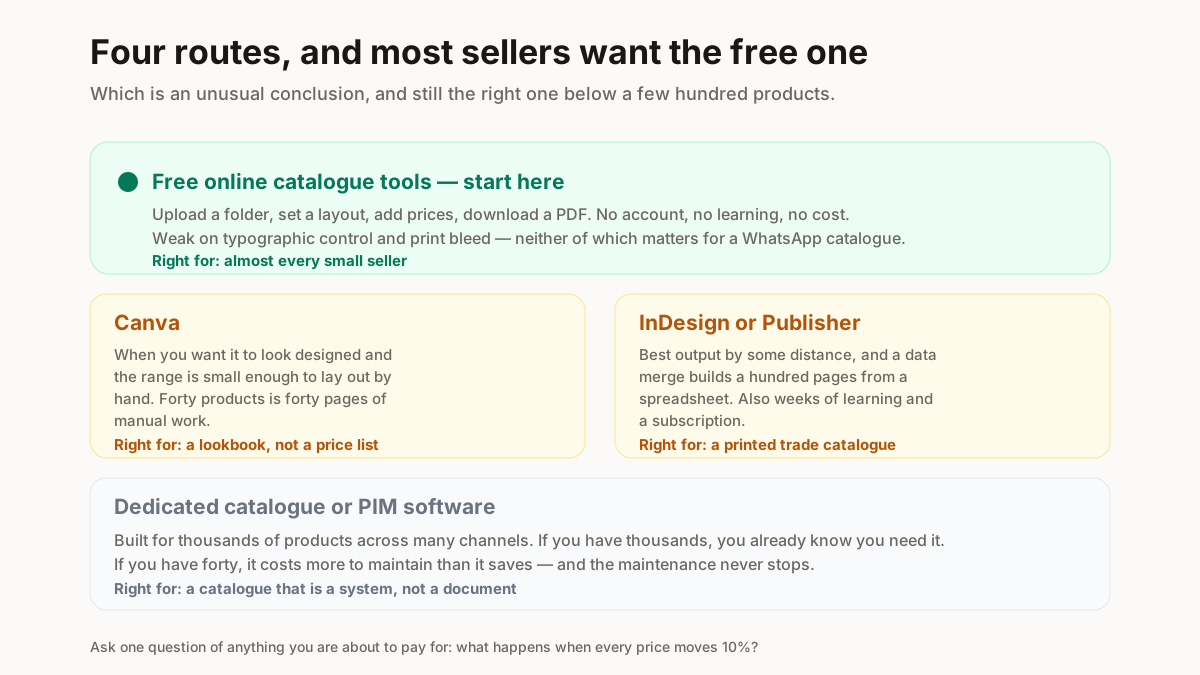
Upload photos, set a layout, add prices, download a PDF. No account, no learning, no cost. Weak on typographic control and not built for print bleed — neither of which matters for a WhatsApp catalogue.
Canva
The right answer when you want it to look designed and your range is small enough to lay out by hand. Bulk create exists but is limited on the free tier, and forty products means 40 pages of manual work. Good for a lookbook, tedious for a price list.
InDesign or Publisher
Genuinely the best output, and a data merge will build a hundred pages from a spreadsheet. It is also weeks of learning and a subscription. This is the right tool if you are producing a printed catalogue for a trade show, and the wrong tool for anything else.
Dedicated catalogue or PIM software
Built for managing thousands of products and publishing them to many channels. If you have thousands of products you already know whether you need this. If you have forty, it will cost more to maintain than it saves.
What should you look for if you do need one?
Five criteria, in the order they bite.
Bulk image import. The single biggest time cost in building a catalogue is handling photos one at a time. Anything that cannot take a folder at once will waste more of your day than every other feature saves.
Regeneration when prices change. Ask what happens when every price moves 10%. If the answer is “edit each page”, you have bought a document, not a system — and you will rebuild it from scratch every season.
WhatsApp-friendly file size. Discussed below, and routinely ignored by software built for print.
Print bleed, but only if it is going to a printer. If it is going to a phone, this is irrelevant and paying for it is waste.
Getting your data out. Whatever you put in should come back out as a spreadsheet. Software that holds your catalogue hostage is a problem you discover at the worst moment.
Why does WhatsApp break most catalogue software?
For an Indian seller, the catalogue is a WhatsApp file. That single fact should drive the whole decision, and almost no catalogue software is built with it in mind.
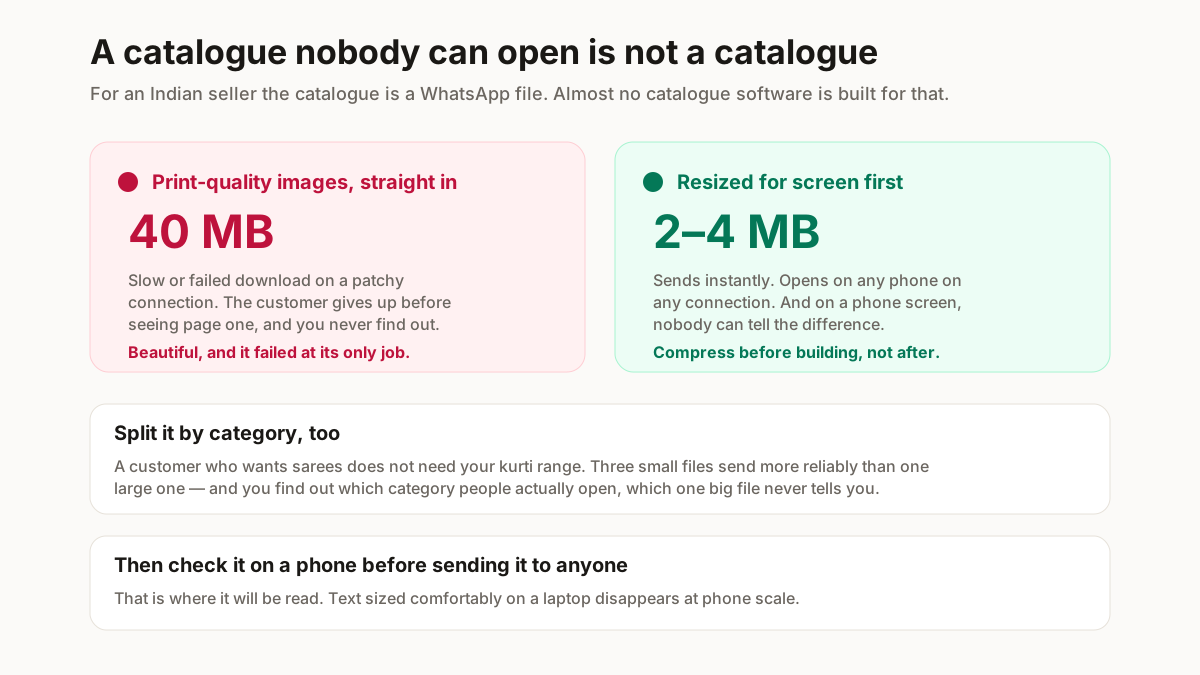
WhatsApp caps document size, and a customer on a patchy connection will abandon a large download regardless of the cap. A beautiful 40MB catalogue that nobody opens has failed at the only job it had.
So: compress the images before they go into the document, not after. Downscaling for screen instead of print is the difference between a file that sends instantly and one that does not — and on a phone, nobody can tell. Our bulk resizer and image compressor handle it in one pass.
Second: split a long catalogue by category rather than sending one enormous file. A customer who wants sarees does not need your kurti range, three separate small files send more reliably than one big one, and you learn which category people open.
How do you make a catalogue with no software?
The route most small sellers should take, in 4 steps.
Photograph consistently. Same background, same distance, same light. Consistency reads as professional far more than any layout does — a plain wall shot the same way forty times beats forty varied shots in a designed template.
Resize the batch to a screen-appropriate size before anything else, and name each file by SKU so ordering the catalogue is mechanical.
Build the PDF with images to PDF or the catalogue maker, one product per page, with the code and price on each.
Check it on a phone before you send it to anyone. That is where it will be read, and text sized for a laptop disappears at phone scale.
The whole thing is under an hour for a forty-product range, and repeating it next season is faster because the photographs and the naming already exist.