Flipkart image size converter: resize product photos to 1000 × 1000 px
By StitchMagic team · Last checked 16 October 2026
Doing more photos today?
One tap. We'll tell you what your drop costs and how long it takes.
Use 1000 × 1000 px for a Flipkart product photo. Flipkart’s own seller guides give no pixel number; they ask for high-resolution photos from several angles and suggest a white background (Flipkart Seller Hub blog, checked 4 Oct 2026). Seller guides recommend 1000 × 1000 px or larger and split on the minimum, 500 or 1000 px, so a 1000 px square clears both (guides fetched 4 Oct 2026). Seller Hub’s in-form guidelines need a seller login and are not checked here; read them there before upload.
Looking for a Flipkart image uploader? This tool resizes the photo on your phone or laptop; it does not upload to Flipkart or make image links. You add the JPG in Seller Hub yourself.
Real output · same photo, before and after
Example: a tall phone photo resized for Flipkart

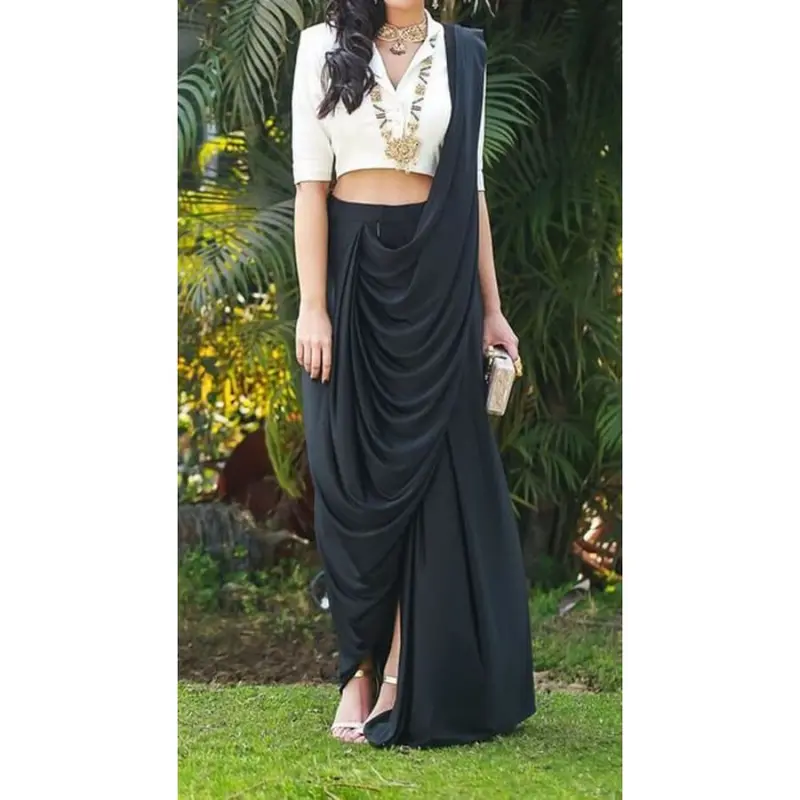
750 × 1000
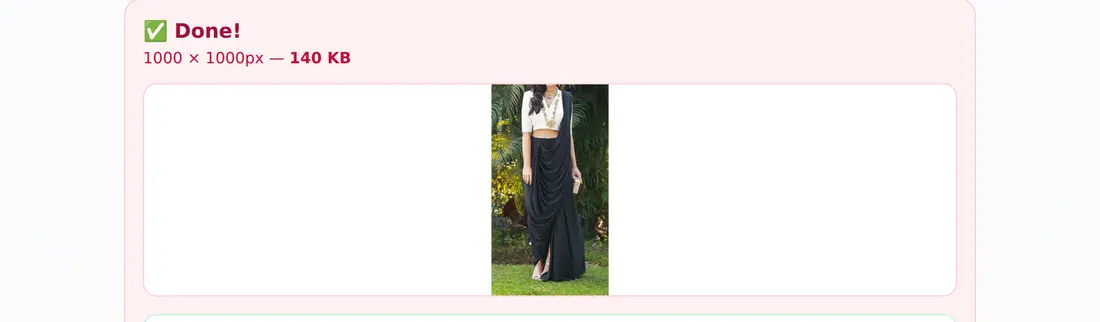
1500 × 2000 photo at the 1000 preset, 125 px white each side
900 × 1200
Same photo at the 1200 preset, 150 px each side
375 × 500
Same photo at the 500 preset
0 px
Cropped from your photo at any preset
Calculated from the tool’s code for a 3:4 photo of 1500 × 2000 px, 16 Oct 2026.
Which Flipkart photo size to pick: 1000, 500 or 1200 px
| Preset | Output | Use it when | Basis |
|---|---|---|---|
| 1000 × 1000 (default) | Square JPG, 1000 px a side | A normal Flipkart listing photo | Seller guides: 1000 × 1000 or larger (fetched 4 Oct 2026) |
| 500 × 500 | Square JPG, 500 px a side | Only if a larger file will not upload | Some guides give 500 px as the minimum, others 1000 px |
| 1200 × 1200 | Square JPG, 1200 px a side | Detail shots, from a photo at least this big | Our preset for zoom-friendly detail |
Every preset
Fitted, no crop, white in the gaps. JPG at quality 0.92; no text, logo or watermark added.Source: StitchMagic tool code (FlipkartResizerTool), read 4 Oct 2026; seller-guide sizes from pictopose.com, blooprint.in, gonukkad.com, catalogx.app and Fynd’s Flipkart documentation, fetched 4 Oct 2026. Flipkart’s own product photography guide and listing optimisation guide give no pixel, file-size or format number (checked 4 Oct 2026).
How to resize an image for Flipkart
- 1
Pick a size
1000, 500 or 1200 px. Pick it before you resize; changing it later does not redo photos already resized. - 2
Upload photos
JPG, PNG or WEBP, several at once. You see “N photos selected” and the photo count left on this device. - 3
Tap Resize
The result card shows the pixel size and the KB before anything downloads. - 4
Download
The first time, the tool asks for your WhatsApp number; after that, downloads go straight through.
Flipkart image size converter problems: big files, white bars, blur, iPhone photos
File too big to upload
White bars on the sides
Photo looks soft
iPhone photos will not open
Background is a bedsheet or wall
Flipkart image upload size, limits and privacy
What the download asks for
- The upload box shows how many photos are left on this device. Past today's limit, photos you queued stay loaded, so you never upload them twice.
- Your photos are not uploaded to our server. The resize runs on a canvas in your browser.
- The page sends only the WhatsApp number you type at your first download and, if signed in, your photo count.
- First download: a 10-digit WhatsApp number and a consent tick; later downloads skip it. No text, logo or watermark is added.
Photos ready? Next steps on Flipkart
Check the size rules
Price the listing
Ship the first orders
Selling on Meesho as well?
ListMagic fills the Meesho catalog form from one product photo, so the same product is listed there without typing every field. Free plan to start; Seller Pass ₹99 a month (StitchMagic pricing, checked 16 Oct 2026).
Try ListMagicRelated seller tools
Frequently asked questions
What size should I resize Flipkart product images to?
1000 × 1000 px. Flipkart’s own seller guides give no pixel number; seller guides recommend 1000 × 1000 or larger, and it clears both minimums they quote, 500 and 1000 px (checked 4 Oct 2026).
Will the Flipkart image resizer crop my product?
No. It fits the whole photo inside the square and fills the gaps with white (tool code, 4 Oct 2026).
Is this a Flipkart image size converter?
Yes. It converts any JPG, PNG or WEBP the browser can open into a square JPG at 1000, 500 or 1200 px (tool code, 4 Oct 2026).
Is this a Flipkart image uploader, image generator or image link generator?
None of these: it resizes photos you already have and saves them to your device. It does not create new images, add text or make image links (URLs) for a bulk listing sheet; you upload the JPG in Seller Hub yourself (tool code, 16 Oct 2026).
Can I resize many Flipkart photos at once?
Yes. Select several files together; the tool shows how many it will do on this device, and the rest wait in the tool until you continue (tool code, 16 Oct 2026).
Are my photos uploaded anywhere?
No. Resizing happens in your browser on a canvas; only your WhatsApp number at the first download is sent to us (tool code, 4 Oct 2026).
All marketplace tools and guides are on tools for marketplace sellers. Who made this: StitchMagic is a set of free tools and one AI listing agent (ListMagic) for online sellers in India that helps them list faster on Meesho, Flipkart and Amazon.in and sell more. Last updated: 16 October 2026 · StitchMagic team.