Flipkart listing image size and photo requirements
By StitchMagic team · Last checked 4 October 2026
Use a 1000 × 1000 px square, saved as JPG, under 1 MB. That is our recommendation, not a Flipkart number: Flipkart’s own seller guides publish no pixel, format or file-size value; they ask for high-resolution photos from several angles and suggest a white background (Flipkart Seller Hub blog, checked 4 Oct 2026). A 1000 px square clears every minimum the seller guides quote (500 × 500 or 1000 × 1000 px), and under 1 MB fits inside both file limits they quote.
Resize to 1000 × 1000 with the Flipkart image resizer →
Flipkart product image size: what Flipkart and seller guides say
| Requirement | Flipkart’s own seller guides | Seller guides say | Status |
|---|---|---|---|
| Recommended size | No number given | 1000 × 1000 px or larger | Guides agree (one says 1200 × 1200) |
| Minimum size | “within the limit set by the e-commerce website”, no number | 500 × 500 px or 1000 × 1000 px | Guides disagree |
| Shape | Not stated | 1:1 square | Guides agree |
| File format | Not stated | JPEG or PNG, or JPEG only | Guides disagree |
| Maximum file size | Not stated | 10 MB or 1 MB | Guides disagree |
| Background, main image | Suggests white: “a white hue as it aligns with most e-commerce websites” | White or plain light grey | Guides agree for most categories |
| Background, apparel | Not stated | Light grey with a soft shadow; “white background will not be accepted” (one source) | No official value; one source only |
| Number of images | No number; asks for “high-resolution images taken from multiple angles” | Up to 8; minimum 2 or 3 | Guides disagree on the minimum |
| Main image content | Not stated | One product, 80–85% of the frame; no text, price stickers, watermarks, logos or borders | Guides agree |
Source: Flipkart Seller Hub blog, product photography guide (19 July 2023) and listing optimisation guide (20 November 2024), read from India 4 Oct 2026; seller guides: pictopose.com, blooprint.in, gonukkad.com, catalogx.app, sellermitra.in and Fynd’s Flipkart image guidelines (documentation.fynd.com), fetched 4 Oct 2026. Last checked: 4 October 2026.
Seller guides split on the minimum: four say 500 × 500 px, two say 1000 × 1000 px. None of the six links a Flipkart page for its numbers (checked 4 Oct 2026).
Flipkart image guidelines: what gets a listing image rejected
Seller guides: avoid on the main image
- Text overlays and price stickers
- Watermarks, logos and borders
- More than one product
- The product filling too little of the frame
Fynd’s Flipkart documentation adds
- “should not be cropped, extended or elongated”
- “Blurred, pixelated images are not allowed”
- “No part of the product must be out of focus”
An integrator, not Flipkart; fetched 4 Oct 2026.
“Extended or elongated” catches phone photos
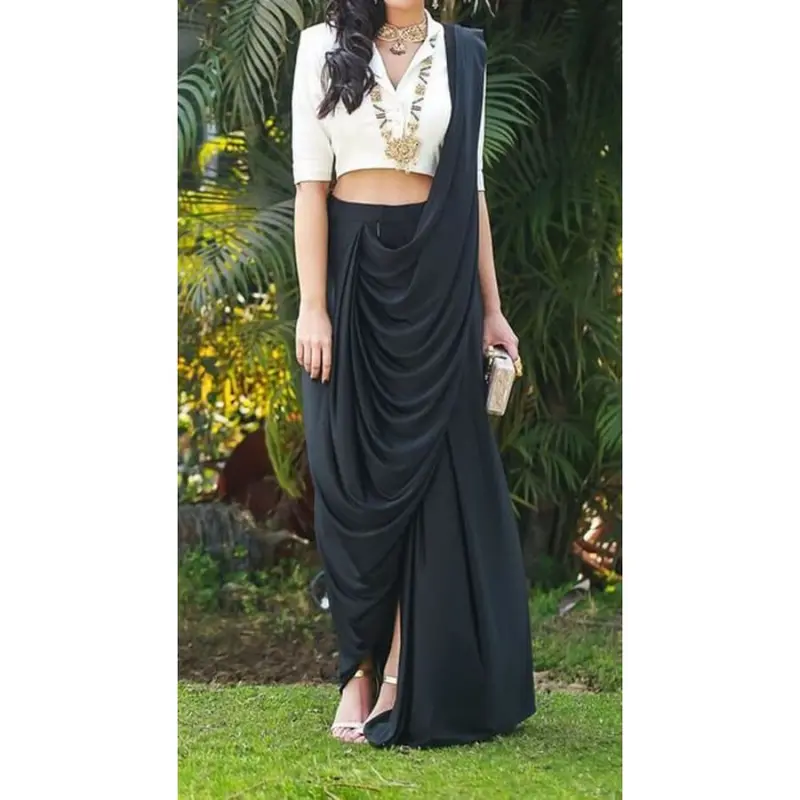
A tall 3:4 shot stretched into a square makes a kurta look wider than it is. Padding the photo with white keeps the proportions, which is how our Flipkart image resizer works.
Flipkart’s own photo guide lists no rejection reasons; it says photo size “should be within the limit set by the e-commerce website” (checked 4 Oct 2026).
How to get a photo to Flipkart listing image size
- 1
Shoot the front view first
In daylight, on a plain white or light grey sheet. Result: one sharp photo with the whole product visible.
Sample portrait photo, before. - 2
Open the resizer
Open the Flipkart image resizer and keep the 1000 × 1000 preset. Result: the preset box is highlighted. - 3
Upload and resize
Result: a square JPG, nothing cropped, with pixel size and KB shown (the result shown in the section above). iPhone HEIC files may need saving as JPG first (tool code, 4 Oct 2026). - 4
Add to Seller Hub
Main image first, then the other views. Result: a listing with a square main image and its extra angles.
What we would do today
A 1000 × 1000 JPG on a white or very light background, the product filling most of the frame, kept under 1 MB. That meets the strictest version of every numeric row in the table above. Flipkart publishes no apparel background rule; we follow its own photo guide’s suggestion of white.What we checked on 4 Oct 2026
| Source | Minimum | Recommended | Max file | Format | Cites a Flipkart page? |
|---|---|---|---|---|---|
| seller.flipkart.com (seller blog, Listing API docs) | — | — | — | — | Official: blog gives no numbers; API docs list only an image URL field |
| pictopose.com | 500 × 500 | 1000 × 1000 or higher | 10 MB | JPEG or PNG | Seller Hub home page only |
| blooprint.in | 500 × 500 | 1,000 × 1,000, larger for zoom | — | JPEG or PNG | Seller Hub home page only |
| gonukkad.com | 500 × 500 | — | 1 MB | JPEG and PNG | No |
| sellermitra.in (resizer) | 500 × 500 | 1000 × 1000 preset | — | — | No |
| catalogx.app | 1000 × 1000 | 1200 × 1200 or higher | 10 MB | JPEG, PNG | No |
| Fynd documentation | 1000 × 1000 | — | — | JPEG only | No |
Sources: the pages named, fetched 4 Oct 2026; Flipkart’s seller blog read from India the same day. Last verified: October 2026.
Our resizer’s geometry: an upright 1500 × 2000 px photo becomes 750 × 1000 px inside the 1000 square, with 125 px of white each side; at 1200 it is 900 × 1200, at 500 it is 375 × 500 (calculated from the tool’s code, 4 Oct 2026).
Flipkart image resolution and views by category
Apparel
Footwear
Accessories
Apparel background: no official value
The same source says apparel needs a light grey background with a soft shadow and that white “will not be accepted”. Flipkart publishes no apparel rule on its open pages, and its own photo guide suggests white, so we recommend white. If Seller Hub rejects a white apparel photo, its error message is the rule to follow.For resolution, shoot each view so the product is still sharp at 1000 px a side. A crop from a distant shot will be soft however you resize it, so step closer rather than zooming in.
Selling on Meesho too?
Related seller tools
Frequently asked questions
What is the Flipkart listing image size?
We recommend 1000 × 1000 px, square, JPG under 1 MB. Flipkart publishes no pixel number on its seller guides; seller guides recommend 1000 × 1000 or larger (checked 4 Oct 2026).
What is the minimum image size for Flipkart?
Guides disagree: four say 500 × 500 px and two say 1000 × 1000 px (checked 4 Oct 2026). A 1000 × 1000 image meets both.
What is the Flipkart image upload size limit in MB?
Guides quote 10 MB or 1 MB per image (checked 4 Oct 2026). A 1000 × 1000 JPG under 1 MB stays inside both.
Does Flipkart require a white background?
Flipkart’s own photo guide suggests white but states no rule. Most seller guides say white or plain light grey for the main image; one integrator says apparel needs light grey (checked 4 Oct 2026). We recommend white; if Seller Hub shows an error, follow it.
How many images can I upload on Flipkart?
Guides say up to 8 per listing and disagree on the minimum, 2 or 3 (checked 4 Oct 2026). Upload the front first, then the views your category needs.
How do I resize an image to Flipkart size?
Use our free Flipkart image resizer at 1000 × 1000: it fits the whole photo into the square and fills the gaps with white, so nothing is cropped (tool code, 4 Oct 2026).
Image sizes for other marketplaces are in the marketplace image size library. By StitchMagic team · Last checked: 4 October 2026.