What to write: four facts
The same set whether the photograph is a family print from 1974 or a product shot from this morning.
Who. Full names, not “Mummy” or “the girls”. In fifty years nobody will know which. Left to right is the convention, and say so if you use it.
What. The occasion or subject. “Wedding reception”, “first day of school”, “blue cotton kurti, SKU K-114”.
Where. Place name, city, and enough detail to place it. “The old house” means nothing to anyone who did not live in it.
When. Full date if you have it, month and year if not, and an approximate decade if that is all — “c. 1970s” is far better than nothing, and writing nothing is the most common mistake.
If you are uncertain, write the uncertainty down. “Possibly Delhi, possibly 1968” preserves what you knew; a blank preserves nothing.
Labelling a physical print without damaging it
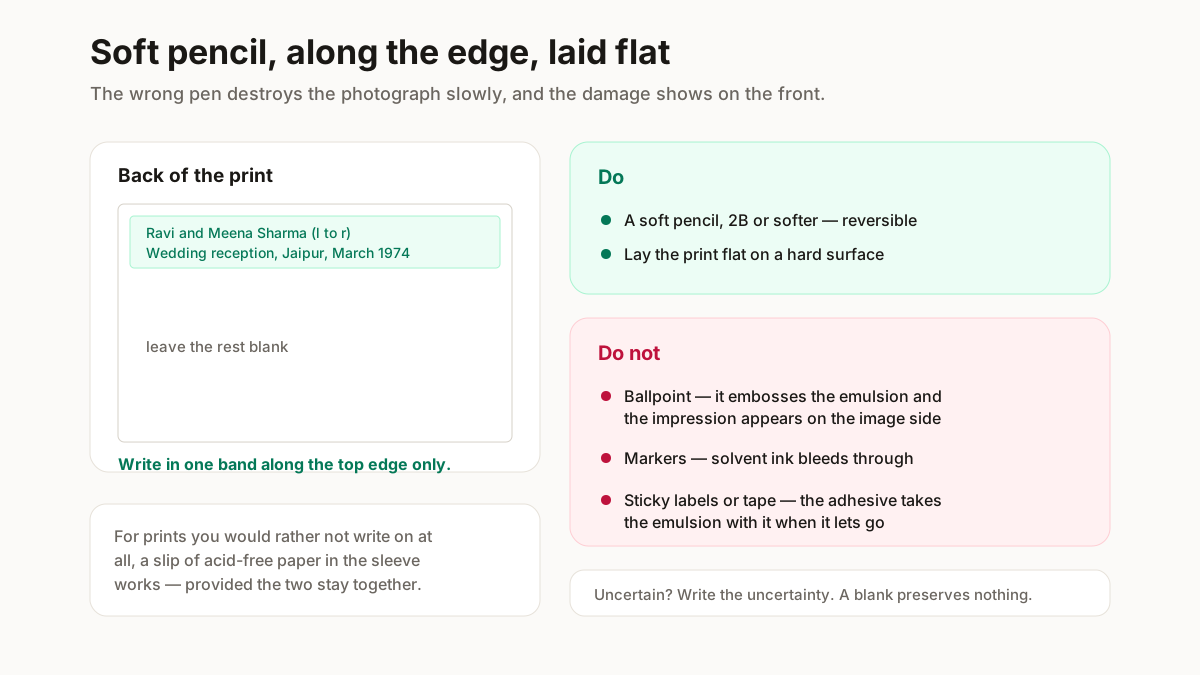
The wrong pen destroys the photograph slowly, and the damage shows on the front.
| Tool | Verdict | Why |
|---|---|---|
| Soft pencil, 2B or softer | Use this | Reversible, does not bleed through. What archivists use |
| Ballpoint | Never | Embosses the emulsion; the impression shows on the image side, and the ink transfers to the next print in the stack |
| Marker | Avoid | Solvent ink bleeds through the paper base over years |
| Sticky label or tape | Never | Adhesive yellows, hardens, and takes the emulsion with it when it lets go |
| Acid-free slip in the sleeve | Good alternative | Nothing touches the print — provided the two stay together |
Write along one edge on the back, not across the middle, and lay the print flat on a hard surface — not in your hand, where it will crease.
For prints you would rather not write on at all, a slip of acid-free paper in the sleeve alongside works, provided the sleeve and the print stay together.
Labelling a digital photograph
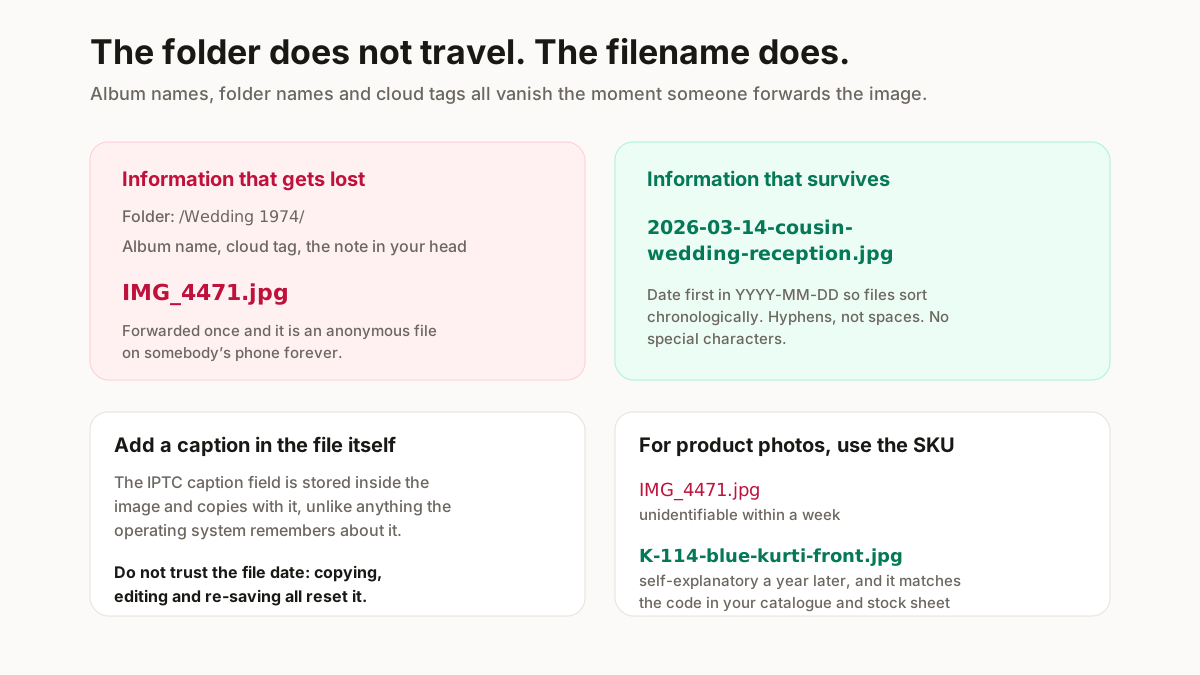
The rule that matters: information stored outside the file does not travel with it. Folder names, album names and cloud tags all disappear the moment someone copies the image to WhatsApp.
Put it in the filename. Date first in YYYY-MM-DD form so files sort chronologically, then subject: 2026-03-14-cousin-wedding-reception.jpg. Hyphens rather than spaces, no special characters.
Add a caption in the file’s own metadata if your software allows it. This is the IPTC caption field — an open standard used by news agencies and archives, documented at iptc.org — and it survives copying, unlike the folder.
Do not rely on the date the file reports. Copying, editing and re-saving all reset it, which is why scanned family photographs are all dated the day they were scanned.
For product photographs, the filename should carry the SKU. A file called IMG_4471.jpg is unidentifiable a week later; K-114-blue-kurti-front.jpg is self-explanatory. Generate consistent codes with the SKU generator and reuse them across photos, catalogue and stock.
Labelling that appears on the image itself
A different job from the above, and worth separating: text placed on the photograph, visible to whoever sees it.
For sellers this is usually a watermark — your name or handle, small, in a corner, at low opacity. It survives forwarding, which is the whole point. It should never sit across the product, and it should never be so heavy that it distracts from what you are selling. The watermark tool does this in batches.
For catalogues it is the product code and price, which belong on the page beside the image rather than burned into it — a burned-in price is a photograph you have to reshoot when the price changes.
For archival scans, a visible caption below the image, never over it, keeps the photograph itself intact.
One thing not to do: place identifying text on someone else’s photograph. Marking an image you did not shoot as yours is a straightforward copyright problem, whatever the source.