Background remover for product photos: plain backdrop to white 1000 × 1000
By StitchMagic team · Last checked 7 October 2026
Listing on Meesho? ListMagic fills the catalog form for you. Free to start.
Runs entirely in your browser · your photo is never uploaded anywhere · no signup · tolerance-based colour key, not AI segmentation — works best on a plain backdrop
Making listing photos for Meesho? ListMagic, our AI listing agent, is a Chrome extension that fills the Meesho Supplier Panel catalog form for you. Free to start.
Real output
Plain backdrop in, white square out
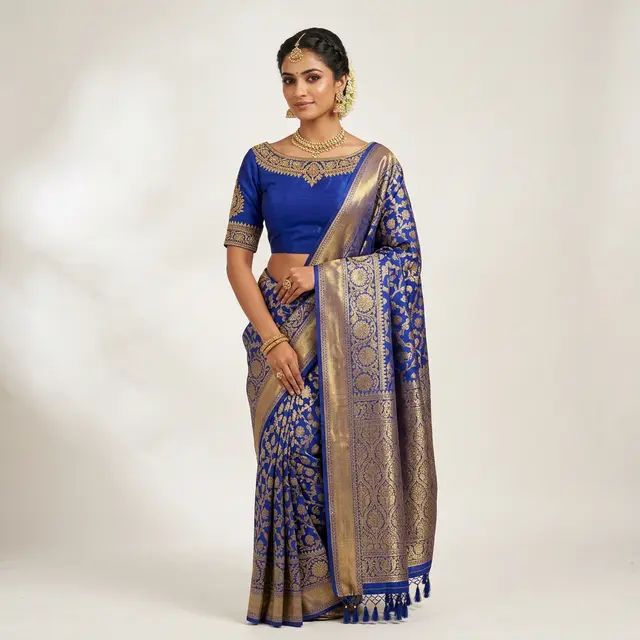
Grey studio backdrop
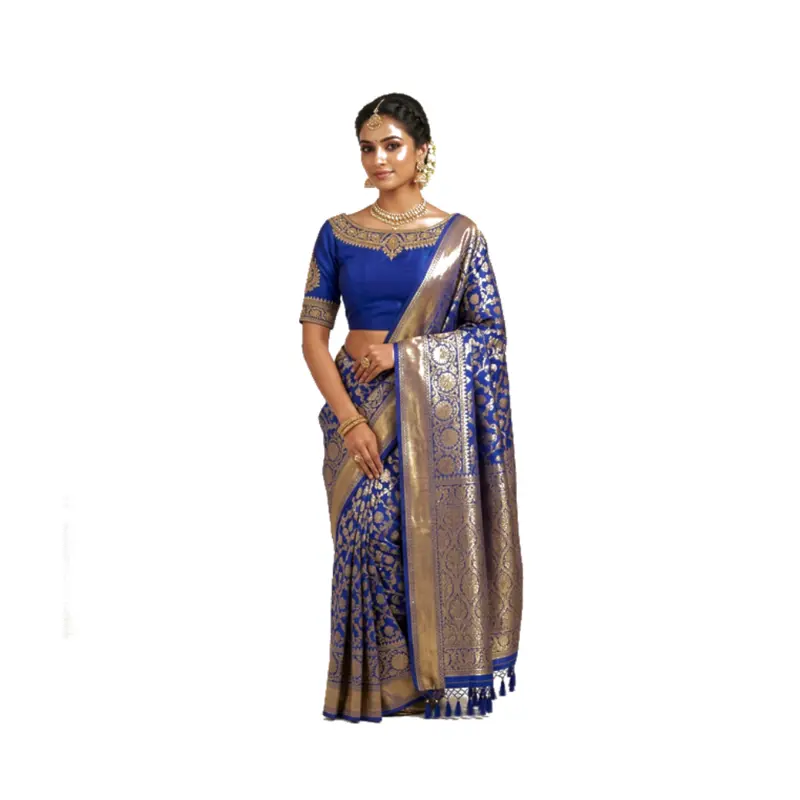
1000 × 1000 PNG on white
How to remove the background from a product photo
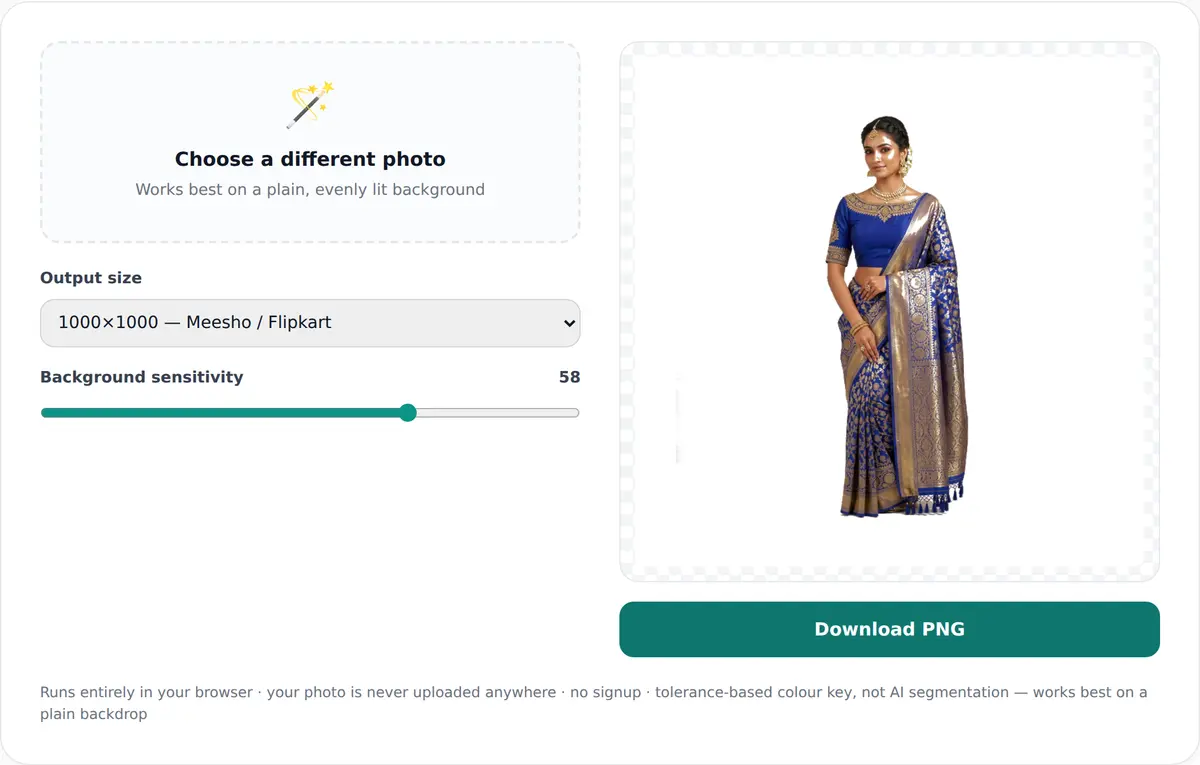
- Choose one photo from your phone or computer. The preview shows “Processing…”, then the product on white.
- Pick the output size: 1000, 2000 or 1200 px square. The preview redraws.
- Move “Background sensitivity” (10 to 80, starts at 38). Higher clears more; too high eats into a light product.
- Tap “Download PNG”. The file saves as white-background-1000x1000.png, or the size you chose.
The slider only appears when the corners of your photo match.
What this background remover does, and what it is not
| What | Value | Note |
|---|---|---|
| Output sizes | 1000 × 1000, 2000 × 2000, 1200 × 1200 px | Square, white |
| Margin | 8% white on every side | Product scaled to fit, never cropped |
| File type | PNG | Cleared pixels end up white in the square |
| Photos at a time | 1 | Repeat for each angle |
| How the backdrop is found | Average of the four corners; cleared only if the corners match | Colour key, not AI segmentation |
| Sensitivity | 10–80, default 38 | Soft edge so outlines are not jagged |
| Where it runs | In your browser | No upload, no sign-up |
Source: StitchMagic tool code (WhiteBackgroundCompositor), read 7 Oct 2026. Last verified: October 2026.
Making listing photos for Meesho?
When the background will not clear
“This background isn’t uniform enough”
White kurta on a white sheet
Shadow left around the product
Fine edges look rough
Example: a kurta shot on a plain wall
630 × 840
Kurta inside the 1000 × 1000 square (px)
80 px
White above and below at 1000
185 px
White on each side at 1000
1260 × 1680
Same photo at 2000 × 2000: 160 px above and below, 370 px each side
Calculated from the tool’s code, 4 Oct 2026.
Free, in your browser, nothing uploaded
Free, no sign-up
Your photo stays on your device
Works on a slow connection
Photos on white? List them with ListMagic
Related seller tools
Frequently asked questions
Is this background remover free?
Yes. No sign-up, no daily limit in the tool and no watermark; it runs in your browser (tool code, read 7 Oct 2026).
Is it an AI background remover?
No. It is a colour key: it clears the colour found in the photo’s four corners, which works on plain backdrops, not busy rooms (tool code, read 7 Oct 2026).
Does it upload my photo?
No. Everything happens on your device; the tool has no upload step (tool code, read 7 Oct 2026).
Can I get a transparent PNG?
Not from this tool. It always places the product on a white square, because that is what a listing photo needs (tool code, read 7 Oct 2026).
What size is the output?
A square PNG of 1000, 2000 or 1200 px with an 8% white margin on every side (tool code, read 7 Oct 2026).
Why did nothing change on my photo?
Its four corners did not match, so the tool did not remove anything and only padded the photo onto white. Reshoot on one plain sheet that fills the frame.
All free photo and PDF tools are on the StitchMagic tools page. Who made this: StitchMagic is a set of free tools and one AI listing agent (ListMagic) for online sellers in India that helps them list faster on Meesho, Flipkart and Amazon.in and sell more. Last updated: 7 October 2026 · StitchMagic team.