AI Image Upscaler — Increase Image Size & Enlarge Photo Without Blur
Increase image size up to 4K resolution. Enlarge photo online free — no pixelation, no blur. Perfect for Amazon zoom requirements, print catalogs, and large web banners.
Doing more photos today?
One tap. We'll tell you what your drop costs and how long it takes.
StitchMagic AI Image Upscaler is a tool that takes small, pixelated, or compressed images and increases their resolution by up to 400% (4x) without losing quality. Instead of just stretching pixels like old resizing tools, our AI analyzes the image context (like fabric weaves or jewelry cuts) and artificially generates the missing high-resolution details. This is the fastest way to take a small product photo and make it large enough to meet Amazon's 1000px "Hover to Zoom" requirement.
See the Micro-Details AI Recovers
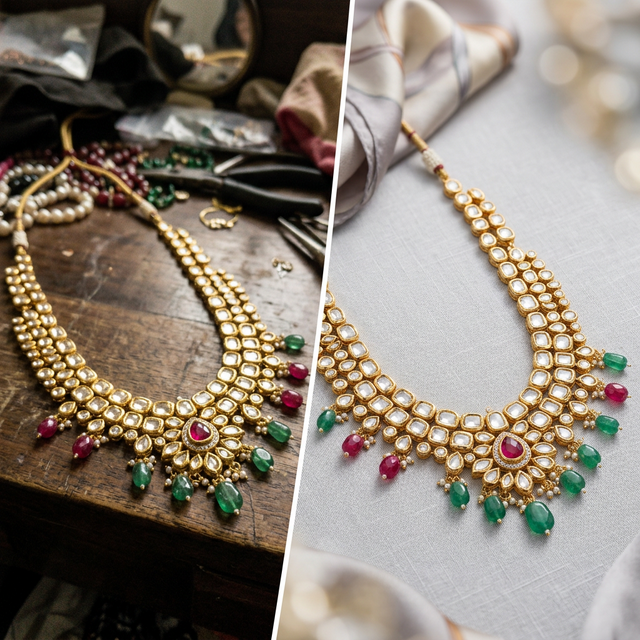
Drag the slider to zoom in. Notice how standard resizing creates a blurry mess, while our AI mathematically reconstructs crisp fabric threads and patterns.
Upskill Your Catalog in 3 Clicks
Upload Small Photo
Upload that thumbnail image a supplier sent you that is too small for your Shopify or WooCommerce website.
Select 2x or 4x
Choose your multiplier. If the original is 500px, 2x makes it 1000px, while 4x makes it 2000px.
Download 4K Image
Download your suddenly massive, crystal-clear image. Completely free and without watermarks.
Trained on Product Details
The problem with most upscalers is they turn faces into plastic and fabrics into smooth cartoons. We trained ours differently.
Preserves Fabric Weave
When upscaling cotton, silk, or linen, the AI understands the thread pattern and accurately rebuilds the microscopic cross-hatch of the fabric.
Restores Lace & Embroidery
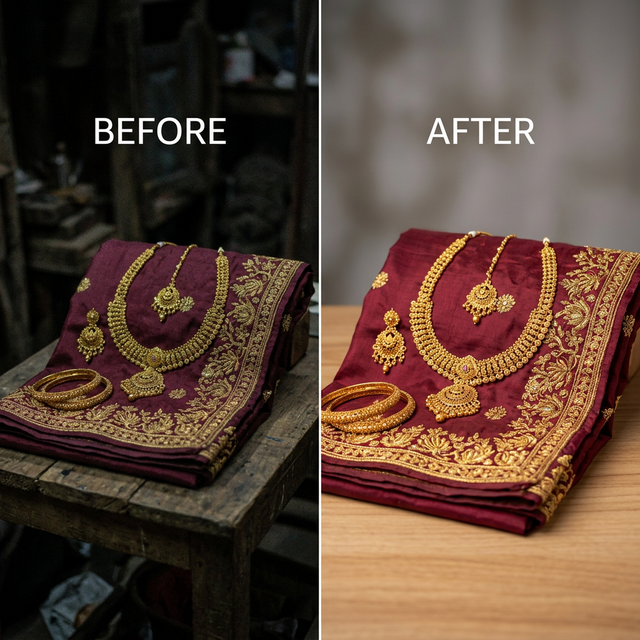
Intricate motifs get lost in low resolution. Our upscaler identifies the shiny nature of threads and enhances their intricate edges.
Sharpens Jewelry Facets
Fine jewelry requires sharp geometric cuts. The AI upscaler restores the crisp edges and light reflections of small stones and diamonds.
Print Catalog Ready
Convert 72 DPI web images into massive 300 DPI high-resolution CMYK-ready files suitable for offset printing physical catalogs.
Frequently Asked Questions
How to Increase Image Size Online Free
Increasing image size means making the pixel dimensions larger — for example, converting a 500×500 pixel thumbnail into a 2000×2000 pixel high-resolution image. Standard resizing just stretches pixels, which creates blur. Our AI enlarger generates the missing pixel detail to produce a genuinely sharper, larger image.
Enlarge Photo for Amazon
Amazon requires images to be at least 1000px on the longest side for the Hover-to-Zoom feature. Upload a 500px photo and enlarge it to 1000px or 2000px — without the blurriness of standard resizing.
Increase Picture Size for Print
Print catalogs need 300 DPI. A photo that looks sharp on screen at 72 DPI may print blurry. Use our 4x upscaler to increase picture size for print-ready output.
Increase Image Size & Enable "Hover to Zoom"
Don't let low resolution ruin your sales. Enlarge your images to 4K for free right now.
Enlarge Image Free