How to register, step by step
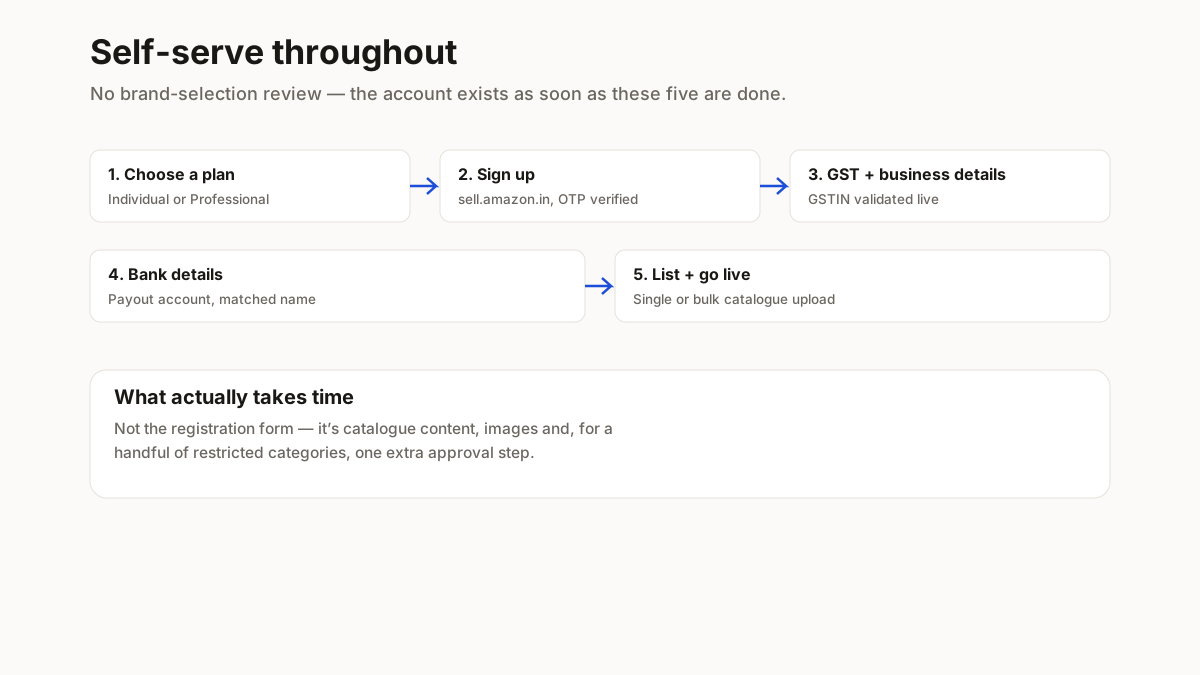
Five stages, self-serve throughout — there is no brand-selection review like Myntra runs.
1. Choose a selling plan
Individual suits low, occasional volume and charges a per-item fee on top of referral fees. Professional carries a monthly subscription instead, and pays off once volume is consistent — most sellers running a real catalogue outgrow Individual within the first few months.
2. Sign up at sell.amazon.in
Business name, mobile and email, verified by OTP. This becomes your Seller Central login.
3. Enter GST and business details
GSTIN, PAN and business address. Amazon validates the GSTIN, so a trade-name mismatch here bounces the application before it goes further.
4. Add bank details
The payout account should be in the registered business name — a mismatch is one of the most common reasons a new account gets held for extra verification.
5. List your first product and go live
Through the catalogue add-product flow — single listing or bulk upload via Amazon’s category template. Most apparel and accessories categories list immediately; a handful of restricted categories need an extra approval step first.
| Document | Why it’s asked | Common mistake |
|---|---|---|
| GSTIN | Required for virtually every physical product category | A GSTIN trade name that doesn’t match the seller account name |
| PAN card | Business PAN for a company, personal for a proprietorship | Mismatched PAN and GSTIN registration types |
| Bank account + cancelled cheque | Confirms the payout account | An account not in the registered business name |
| Business address proof | Verifies the registered operating address | An address that doesn’t match the GST registration certificate |
| Mobile and email | For OTP verification and all Seller Central alerts going forward | A shared number that changes hands later — recovery is a support process |
A small number of categories — jewellery, grocery, select electronics — ask for extra category-specific approval on top of this base list. Apparel, footwear and general accessories normally do not.
Want this checklist on your phone?
Sent to WhatsApp so you can tick items off while you gather them. Nothing on this page is hidden behind it.
Your number, used to send this and occasional seller tips. Not sold on.
Why your listing might get suppressed after you register
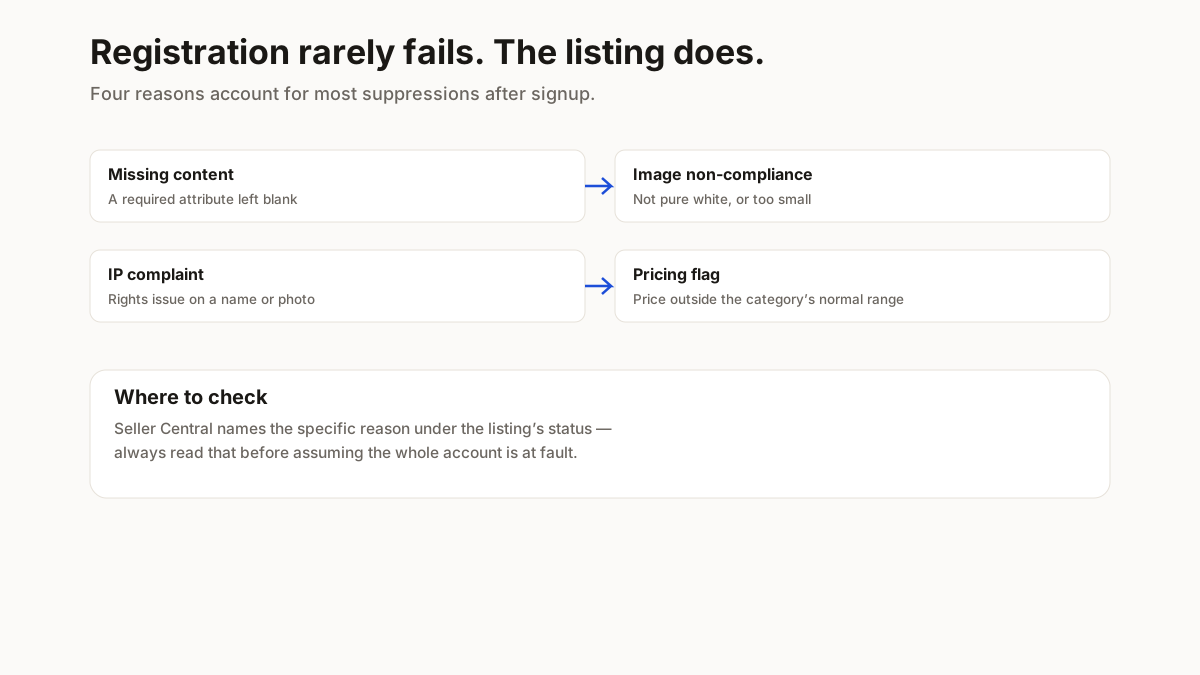
- Missing required content — a category-required attribute (fabric, size, care instructions) left blank suppresses the listing until it’s filled in
- Image non-compliance — main image not on pure white, or below Amazon’s minimum pixel size
- An intellectual-property complaint — using a brand name or a photo you don’t have rights to in a title or listing
- A pricing error flag — a price wildly outside the category’s normal range, genuine or not, can trigger an automatic review
Listing products in bulk once you are live
The single-product form is fine for a first listing and slow at any real scale. Once you have more than a handful of SKUs, switch to Seller Central’s bulk upload using the category-specific template — it is the same underlying process, just batched, and it is where most sellers with a real catalogue actually operate day to day.