AWB label generator: barcode labels from your AWB numbers
By StitchMagic team · Last checked 4 October 2026
Listing on Meesho? ListMagic fills the catalog form for you. Free to start.
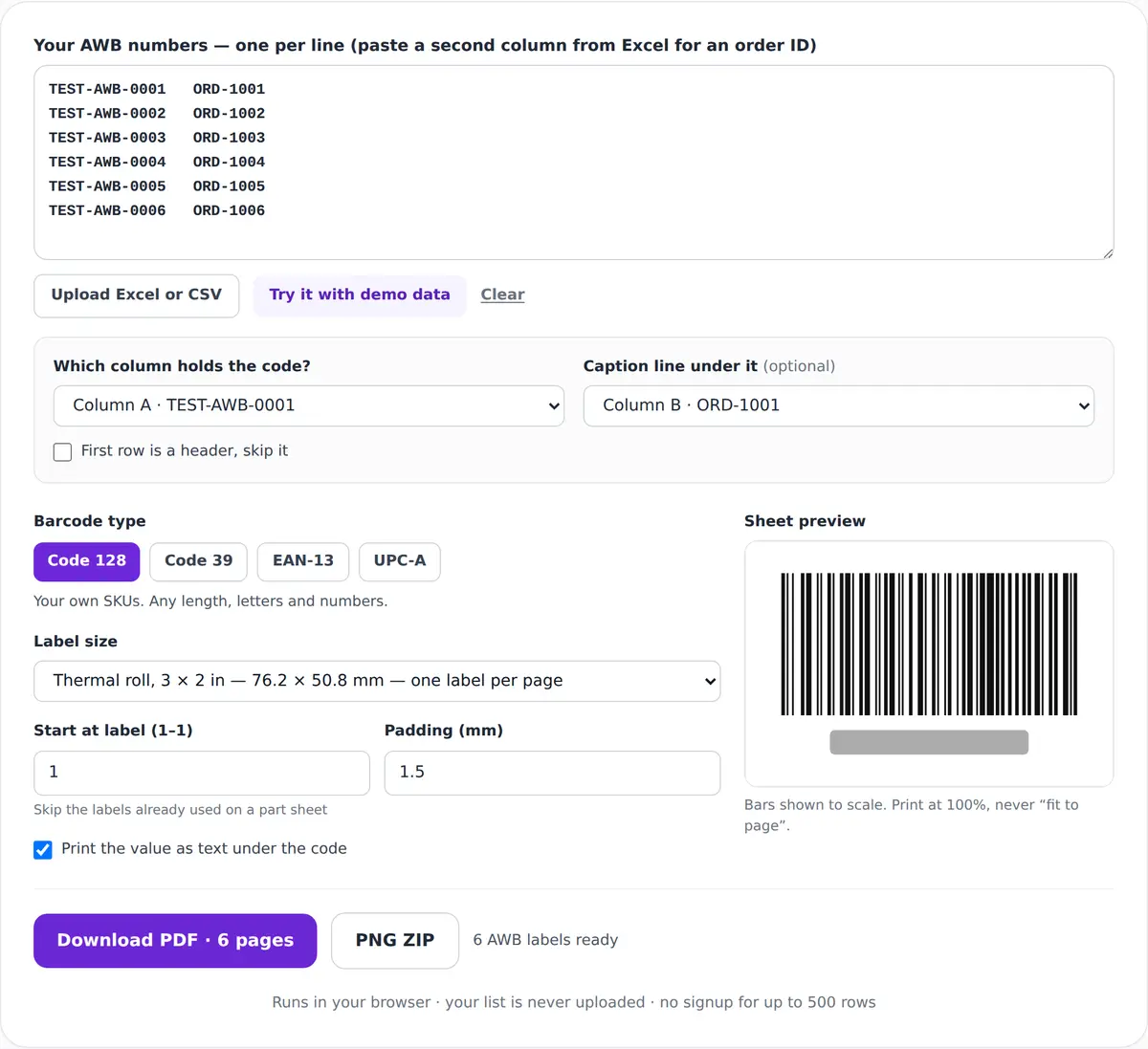
Barcode type
Your own SKUs. Any length, letters and numbers.
Label size
Sheet preview
Paste a list to see the sheet fill up.
1 blank row was skipped.
Runs in your browser · your list is never uploaded · no signup for up to 500 rows
Selling on Meesho as well? ListMagic is a Chrome extension that fills the Meesho Supplier Panel catalog form. Free to start.
What you get
AWB labels from the numbers your courier issued
One label per AWB
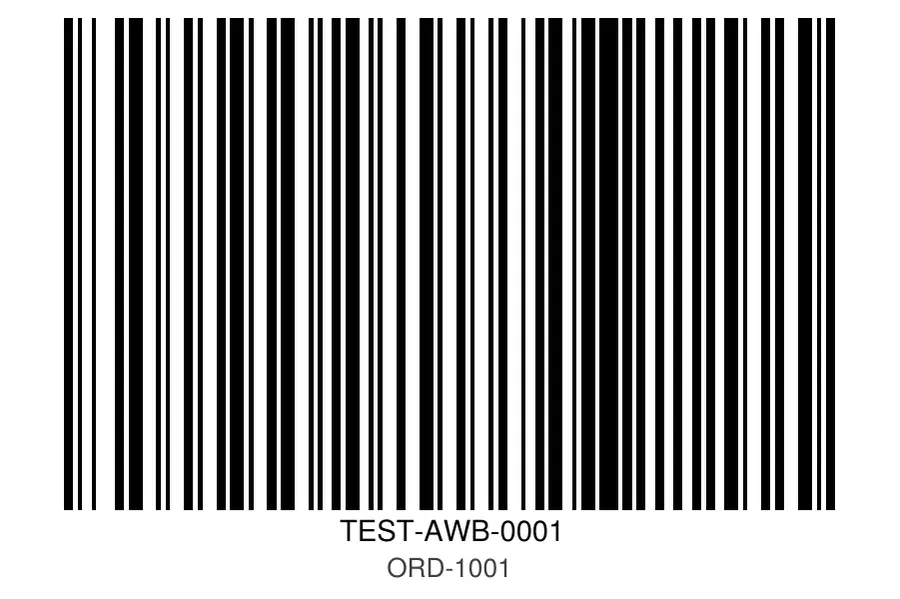
- Code 128 bars with a white margin either side.
- The AWB printed underneath, and your order ID below that.
- A PDF for the printer, or a PNG ZIP that names each file after its AWB, so a reprint is easy to find.
Use it for a dispatch register, a handover list or a torn barcode while the AWB stays the same. Print your AWB labels ↑
How to print AWB labels in bulk
- 1
Paste or upload
One AWB per line, or the .xlsx, .csv or .txt your courier panel exported. With two columns, pick the AWB column and the caption, such as your order ID. - 2
Pick the label
A thermal roll preset, an A4 sticker sheet or a custom size in mm; bars are drawn to scale. On a part-used sheet, set “Start at label”. - 3
Download and print
Keep “Print the value as text under the code” ticked. Print the PDF at 100% (actual size), not “fit to page”.
Shipping Meesho orders too? Get the catalog form filled
AWB label size, barcode type and number format
| Item | Value | Source |
|---|---|---|
| Barcode type | Code 128 by default (letters and digits); Code 39, EAN-13 and UPC-A also offered | StitchMagic tool |
| Thermal presets | 3 × 2 in (76.2 × 50.8 mm, the AWB default); 4 × 6 in (101.6 × 152.4 mm); 50 × 25 mm | StitchMagic tool |
| A4 sheet presets | 65 labels at 38.1 × 21.2 mm; 40 at 45.7 × 25.4 mm; 24 at 63.5 × 33.9 mm | StitchMagic tool |
| Custom sizes | 10–200 mm wide, 8–280 mm high, laid out on A4 sheets | StitchMagic tool |
| One dot on a 203 dpi thermal printer | 0.125 mm (25.4 ÷ 203) | Arithmetic |
| Thin-bar warning | Shown when the narrowest bar falls below 0.25 mm, two printer dots at 203 dpi | StitchMagic tool |
| Air-cargo AWB number | 11 digits, 000-00000000, last digit an unweighted Modulus 7 check | IATA |
| Free per run | 500 numbers; up to 5,000 for the visit after you give a WhatsApp number | StitchMagic tool |
| Print scale | 100% / actual size | StitchMagic print instruction |
Sources: IATA: Air Waybill number validation, retrieved 4 Oct 2026. Tool values from the StitchMagic tool code, checked 7 Oct 2026. For courier tracking numbers the tool prints whatever value you paste.
AWB number: where it comes from and what this tool prints
Courier and aggregator
Marketplace orders
Air cargo
AWB label problems and fixes
The barcode won’t scan
Warning that the bars are too thin
Labels start on a used sticker
The order ID shows instead of the AWB
Some rows were skipped
More than 500 numbers
Dot size: arithmetic from 1 in = 25.4 mm (NIST). Limits and warning: StitchMagic tool code, checked 7 Oct 2026.
Free, and your AWB list stays on your device
The AWB label generator is free and needs no signup for up to 500 numbers per run. The barcodes and the PDF are built inside your browser, so your list of AWBs isn’t uploaded.
Above 500, the tool asks for a WhatsApp number and then runs up to 5,000 numbers on this page for that visit. That form sends the number, a source tag and your row count, not the list.
Labelling your own stock rather than parcels? The bulk barcode generator makes SKU and EAN-13 barcodes on the same sheets. More tools are on the marketplace sellers page.
Let ListMagic fill your Meesho catalog form
Related free seller tools
Frequently asked questions
Can I generate an AWB number?
No. The airline, the courier or the shipping platform issues it; Shiprocket, for example, assigns it when you click Ship Now. This tool prints AWBs you already have.
How many digits is an AWB number?
An air-cargo AWB is 11 digits, written 000-00000000, and the last digit is a check digit (IATA). For courier tracking numbers, the tool accepts whatever value your courier gave you.
What barcode type does this tool use for AWB labels?
Code 128 by default, which holds letters and digits, with the number printed as text underneath.
Can I print AWB labels on a thermal printer?
Yes. The tool opens on the 3 × 2 in roll preset; there is also a 4 × 6 in (101.6 × 152.4 mm) shipping-label preset and a 50 × 25 mm roll, each one label per page. Print at 100%.
Can I make AWB labels from an Excel file?
Yes. Upload the .xlsx or .csv, choose the AWB column and an optional caption column, and download one PDF.
Is the AWB label generator free?
Yes. 500 numbers per run are free with no signup, and saving a WhatsApp number raises that to 5,000 for the visit.
Official sources: IATA: Air Waybill number validation · Amazon.in: Master Airway Bill · Shiprocket: how to ship an order, retrieved 4 Oct 2026. Tool behaviour checked against the code on 7 Oct 2026.