FNSKU label or shipping label? They are not the same thing
Worth settling first, because arriving at the wrong one costs you a sheet of stickers.
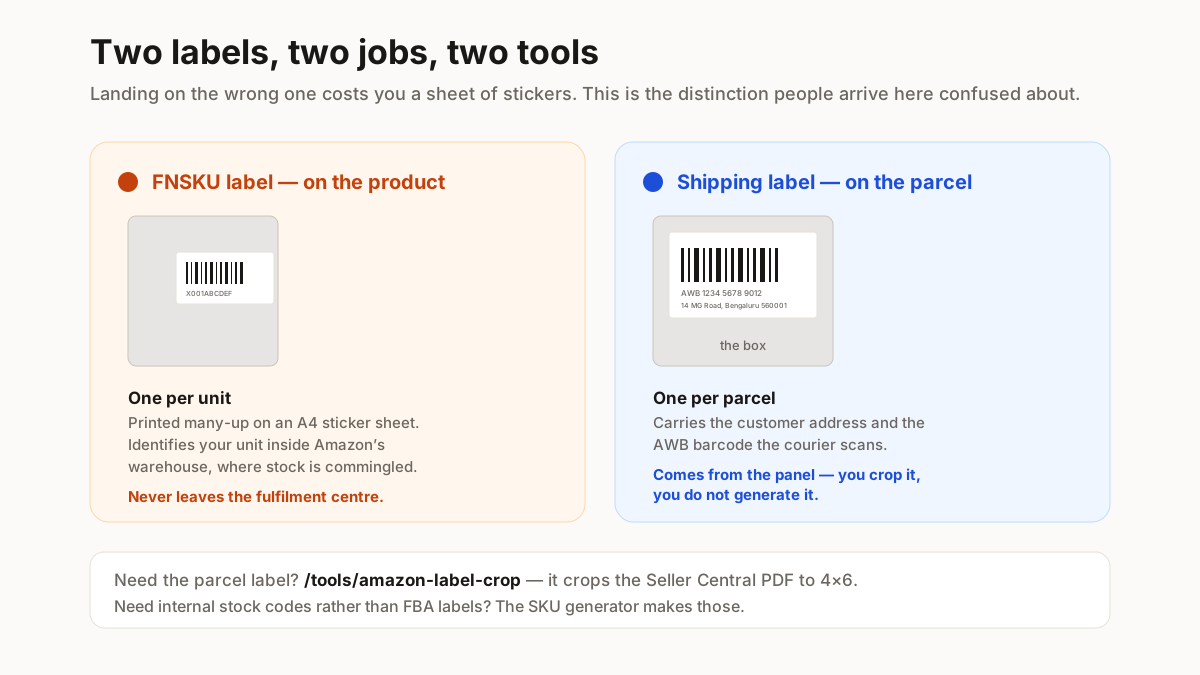
An FNSKU label identifies a unit inside Amazon’s warehouse. It goes on the product — one per unit — and carries the FNSKU code as a barcode with the product name underneath. You print these many-up on an A4 sticker sheet, peel and apply before the shipment goes to the fulfilment centre. That is what this page makes.
A shipping label identifies a parcel in transit. It goes on the outside of the box, one per parcel, carrying the customer address and the AWB barcode. If that is what you need, use the Amazon label crop tool instead.
Why FBA needs the FNSKU at all
Amazon commingles inventory by default — your unit and another seller’s identical unit sit in the same bin. The FNSKU is what makes yours yours. A missing or unreadable FNSKU means the unit cannot be received, and a shipment of unlabelled stock either gets refused or gets charged an FBA labelling fee per unit.
So the label is not paperwork. It is the difference between inventory that arrives and inventory that sits in a problem queue.
Label size and sheet layout
Amazon publishes a size range for FBA product labels, and the practical answer for most sellers is an off-the-shelf A4 sticker sheet.
The common sheets are 65-up (38.1 × 21.2 mm) and 24-up (63.5 × 33.9 mm). The 65-up is cheap and fits a lot per sheet, but a long FNSKU plus a product name gets cramped — check the bar width warning before printing a hundred. The 24-up is more comfortable and what to use if your product names are long.
Two things to get right. Leave the quiet zone — barcodes need clear space either side, so do not fill the sticker edge to edge. And keep the human-readable text underneath; warehouse staff use it when a scan fails, and Amazon expects it.
The tool below shows the bar width in millimetres as you change label size. Anything under 0.25 mm is marginal on a thermal printer, and it will tell you so rather than letting you find out at the fulfilment centre.
Getting your FNSKU list out of Seller Central
FNSKUs are assigned per product per account, so they have to come from your own Seller Central rather than being derived from the ASIN.
They appear in your inventory report, and in the label-printing flow when you create an FBA shipment. Export the report, take the FNSKU column, and paste it here — one per line, with an optional product name after a comma so the label carries a caption a human can read.
One caution worth stating plainly: an FNSKU is not a barcode you can invent. Unlike an internal SKU, it is issued by Amazon and tied to your listing. Generating a plausible-looking code produces stickers that scan as nothing at the warehouse.
If you want internal stock codes rather than FBA labels, the SKU generator makes those, and the bulk barcode generator puts them on a sheet.
Printing so the warehouse can read them
The same rule as every barcode on this site, and it is worth repeating because it is the one people skip.
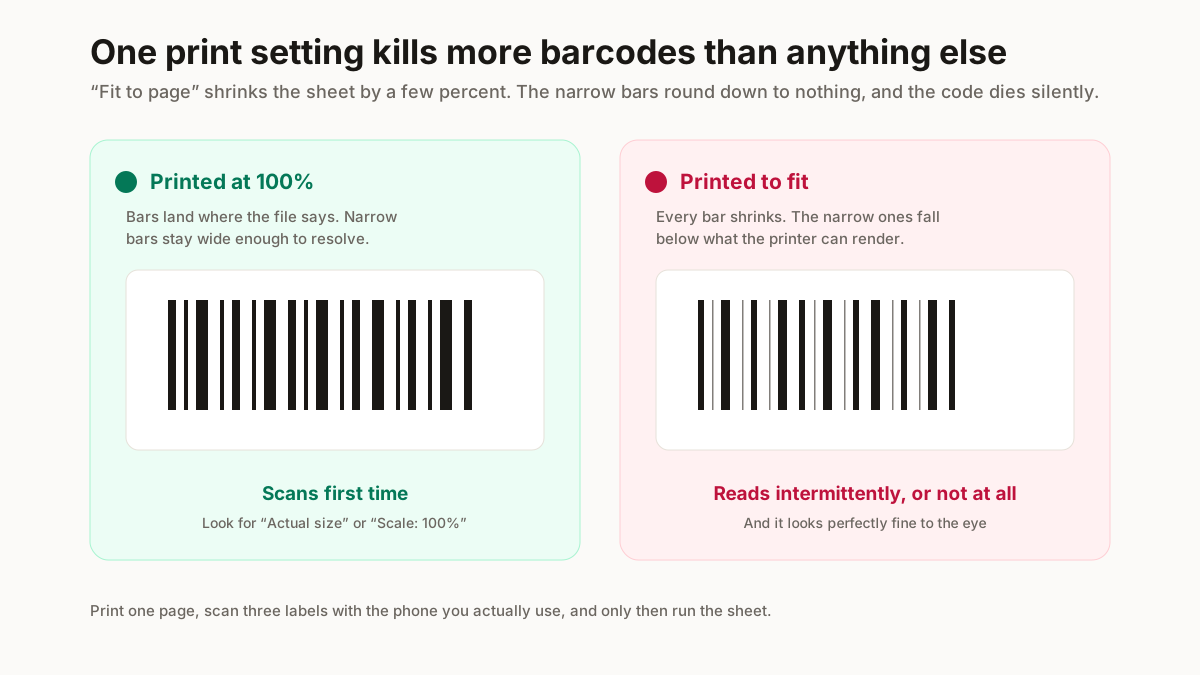
Print at 100%, never “fit to page”. Scaling a sticker sheet even a few per cent shifts every label off its die-cut and narrows the bars. You end up with a sheet where the barcodes straddle the cut lines.
Use a laser printer if you have one. Inkjet on sticker paper smudges under a scanner and in a warm warehouse. If inkjet is what you have, let the sheet dry fully before handling it.
Test one sheet before running a hundred. Print a single page, scan a label with a phone barcode app, and check the code that comes back matches. Thirty seconds against a wasted box of stickers.